What is an e-detailing app?
An e-detailing app is software a medical representative uses to present approved pharmaceutical product content on a tablet during a doctor call, instead of carrying printed visual aids. A good pharma e-detailing app also helps the representative prepare that content, find the right pages quickly and continue the field work that follows the call.
Easy E-Detailing is built for that complete routine. The MR presents digital visual aids from a tablet, records the outcome of the doctor call and keeps follow-ups visible, while a Manager reviews linked team activity from a separate workspace. For the broader definition, history and compliance context, read what e-detailing means in pharma marketing.
| Product fact | Easy E-Detailing |
|---|---|
| Publisher | iWebry |
| Platform | Android — Manager workspace on a phone, MR field workspace on a tablet |
| Presentation content | PDF, images and supported PPT/PPTX files organized into projects and categories |
| Offline use | Prepared presentations open offline after sign-in and activation |
| Field workflow | Start Day / End Day, Doctor List, doctor-wise detailing, visit outcomes, follow-ups, work history |
| Pricing | Starter ₹349 for 1 month, Growth ₹999 for 3 months and Pro ₹1,899 for 6 months — each with 1 Manager + 2 MR |
Who uses a pharma e-detailing app?
Medical representatives use it to carry organized brand presentations, open the right pages for each doctor and keep their day's work in one place. The medical representative app guide covers the MR side in more detail.
Managers use the Manager workspace to link MRs to the team and review supported attendance, doctor work, follow-ups and MR-wise activity — without taking over the MR's field screen.
Pharma companies, brand and training teams use it to give representatives a consistent, approved detailing structure. Companies evaluating a team rollout can read about e-detailing software for pharma companies.
How it works during a doctor call
- The MR submits Start Day with the required live photo, time and GPS-based location.
- The MR opens the doctor from the Doctor List.
- The prepared project or category for that doctor opens in a full-screen landscape viewer.
- The MR presents the approved story, moving to evidence, dosage or safety pages only when the conversation needs them.
- After the call, the MR records the supported visit outcome and the next follow-up.
- The Manager can later review the linked MR's supported activity and pending follow-ups.

For call technique rather than app steps, see how to use e-detailing during a doctor call.
Digital visual aids: PDF, PPT and image workflow
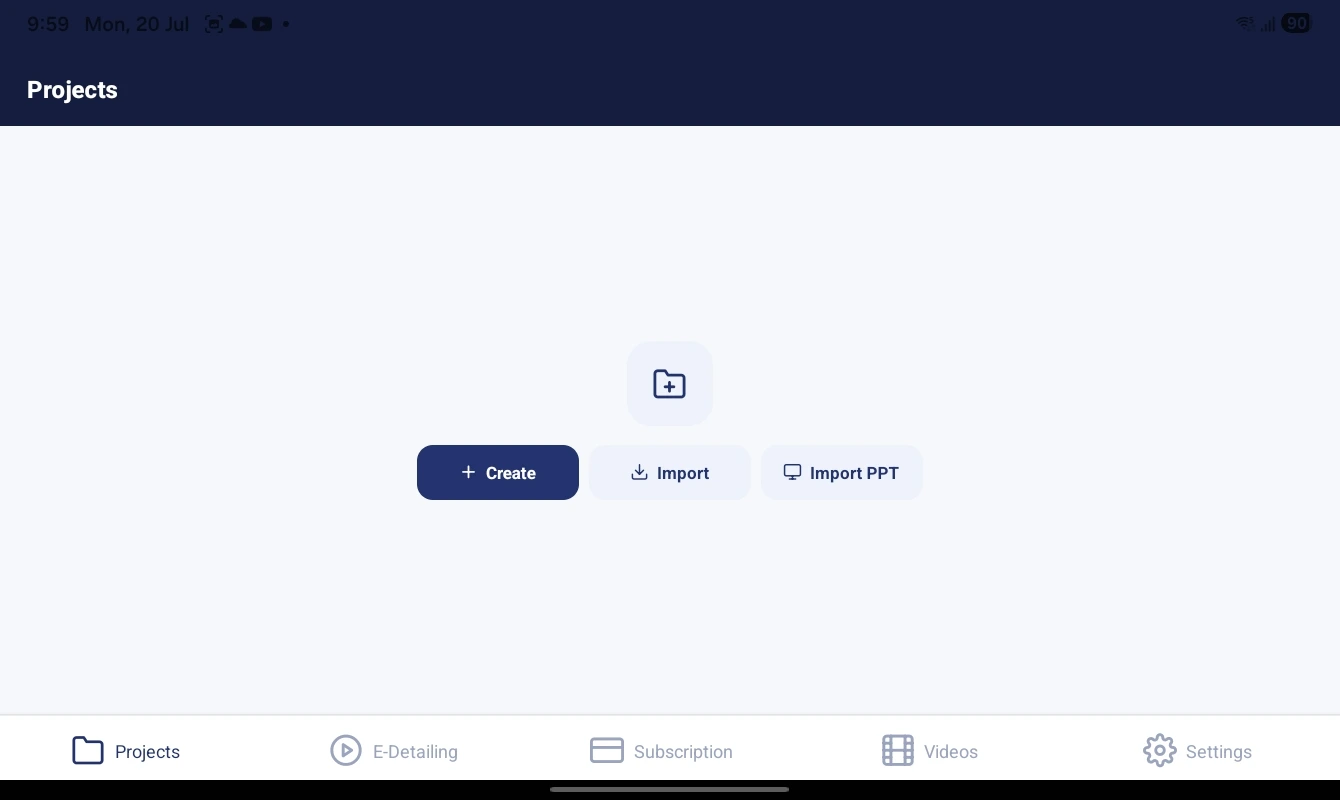
Representatives do not need to rebuild slides. Supported PDF, PPT/PPTX and image files are imported into a project, split into pages and arranged into categories — for example a short core story, study details, dosage and safety. Pages can be renamed, reordered, copied or moved as approved material changes, and automatic page naming suggests readable labels during import.
Exact PPT/PPTX rendering depends on the production build and on source features such as embedded fonts, media and animation, so every important presentation should be checked page by page before field use. Read more about PDF, PPT and image import or compare a digital visual aid app with printed visual aids.
Offline presentation
Clinics often have weak mobile data. After sign-in and subscription activation, prepared projects are stored on the device and open without a connection, so the core doctor discussion is not interrupted by loading screens. Login, payments, subscription checks, account actions, AI help and online training still need internet.
- Open every priority project while connected before field travel.
- Run the complete core sequence once in airplane mode.
- Confirm the approved content version and page order.
- Charge the tablet and check available storage.
The offline e-detailing app page explains the benefits and limits of offline use in more depth.
Manager + MR capabilities
Manager and MR sign in to separate, role-focused workspaces. Linked work stays visible to the Manager without mixing permissions or cluttering the MR's screen.
| Manager workspace (phone) | MR field workspace (tablet) |
|---|---|
| Add and link MRs to the team | Start Day and End Day |
| Review Start Day photo, time and location information | Doctor List and doctor-wise detailing |
| See supported doctor work and visit outcomes | Record visit outcomes |
| Track follow-ups and pending work | My Follow-Ups and pending work |
| Manage supported detailing projects | Present prepared projects offline |
| Open MR-wise work views and supported reports | My Visits and work history |
See every screen on the Manager + MR features page.
Doctor-wise work and follow-ups
A simple presentation viewer ends when the slide closes. In Easy E-Detailing, the doctor stays the unit of work: the MR opens a doctor, presents, records the outcome and sets the next action. Due follow-ups and pending work stay visible to the MR the next day and are available for Manager review where supported, so important next steps are less likely to be forgotten between calls.
Android phones and tablets
Easy E-Detailing runs on Android. The Manager workspace is designed for the Manager's own phone; the MR field workspace is designed for an Android tablet, which gives the doctor a readable presentation across a desk. Before rollout, check screen size, storage, battery life and security settings using the tablet setup guide for medical representatives.
Practical limitations
- Internet is required for login, payments, subscription verification, account actions, AI help and online training.
- PPT/PPTX fidelity depends on the source file; test important decks before field use.
- The app does not approve medical claims. Content review, representative training and withdrawal of old material remain the company's responsibility.
- Readable place detail for Start Day depends on GPS conditions and available mapping data; it is not a guarantee of an exact building.
- The public Play Store listing is being finalized, so app access is currently arranged through support.
E-detailing app pricing
Easy E-Detailing plans include 1 Manager + 2 MR. Extra MRs cost ₹100 per MR per month of the selected plan. A 3-day free trial is available.
| Plan | Price | Includes |
|---|---|---|
| Starter · 1 month | ₹349 | 1 Manager + 2 MR |
| Growth · 3 months | ₹999 | 1 Manager + 2 MR |
| Pro · 6 months | ₹1,899 | 1 Manager + 2 MR |
| Extra MR | ₹100 per MR per month | Above the 2 included MRs |
Confirm the total for your team size on the Easy E-Detailing pricing page. If you only need a visual-aid presenter without Manager + MR field work, is a separate yearly app priced by page capacity.
Frequently asked questions
Is Easy E-Detailing an e-detailing app or a visual aid app?
Both. It presents digital visual aids like a visual aid app, and adds the e-detailing workflow around the call: doctor-wise detailing, visit outcomes, follow-ups and Manager review.
Does the e-detailing app work offline?
Prepared projects and presentations work offline after sign-in and subscription activation. Login, payments, account actions, AI help and online training still require internet.
Does it work on phones or tablets?
The Manager workspace is used on the Manager's Android phone. The MR field workspace, including doctor presentations, is designed for an Android tablet.
Can I import PDF and PowerPoint files?
Yes. PDF and image import are supported, and PPT/PPTX support depends on the production build and source-file features. Test important files before field deployment.
How do I get the app?
Contact Easy E-Detailing support for the current Android app access option, or send a WhatsApp message to +91 91680 89183 during support hours.
Start with one tested project
Prepare one approved brand project, test it offline on the MR's tablet and link one MR to the Manager workspace before expanding. When the first project works, repeat the same category pattern across the portfolio. Learn more about Easy E-Detailing, the pharma e-detailing app.